DE / EN
Blog

Google Business Profile optimization checklist, straight from Google's own guidelines

This Google Business Profile optimization checklist covers what Google itself says helps a profile show up in local results on Maps and Search: verification, accurate details, photos, posts and reviews. Each check links to the Google help page behind it, so you can tell guidance from guesswork.

· Adoro · 23 November 2026

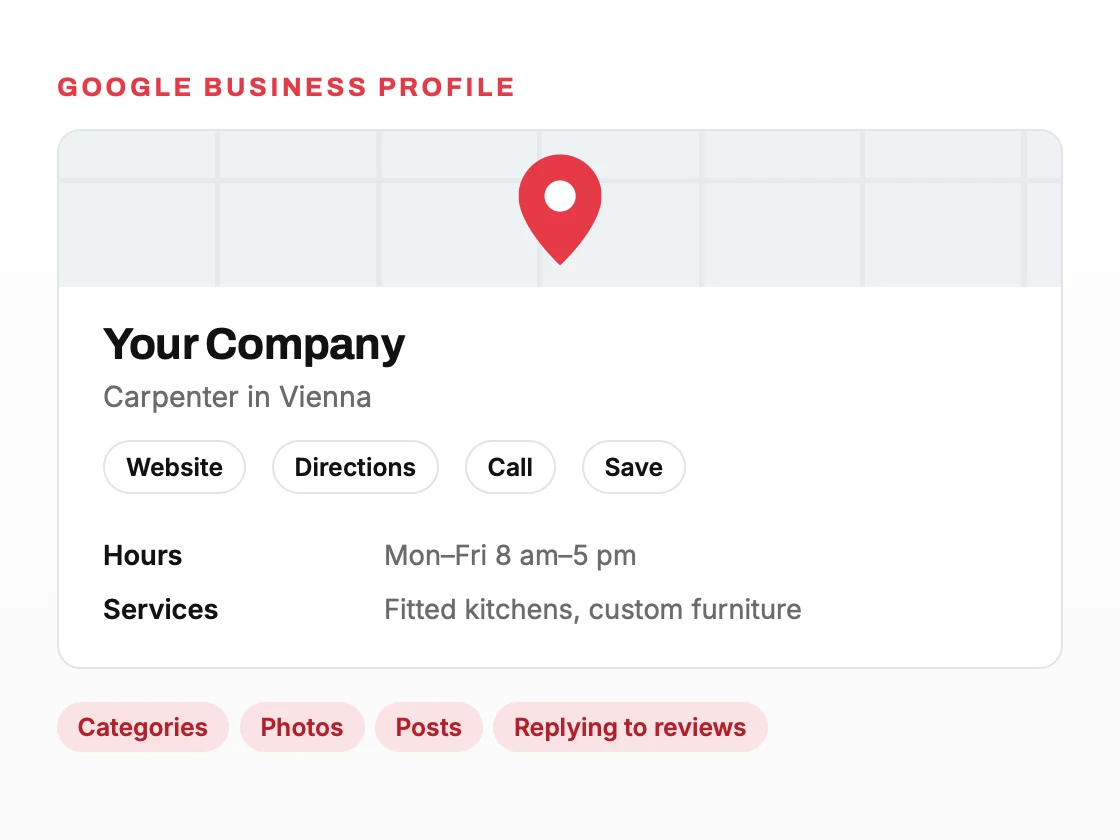
Diagram of a Google Business Profile, example Your Company
In short

The short answer

To optimize a Google Business Profile, verify it, fill in every relevant field accurately, pick the most specific primary category, add real photos, publish posts and reply to reviews. Google says complete and accurate profiles are more likely to show up in local search results, and that no one can pay for a better local ranking.

3local ranking factors: relevance, distance, prominence
750characters max for your business description
5 daysmax for Google's verification review, rarely longer

Sources: Google Business Profile Help, “Tips to improve your local ranking on Google”, “Edit your Business Profile” and “Verify your business on Google”, checked on November 23, 2026.

Free 30-minute call

Go through the checklist together

Book a free intro call
Ranking factors

Google Maps ranking factors, in Google's words

When someone searches “dentist” or “emergency plumber”, Google shows local results on Maps and Search, often called the local pack. Google says these results are mainly based on three factors:

What you can't changeWhat you can work on

Distance: how far you are from the person searching

Relevance: complete, detailed info that matches the search

Paying Google for a higher spot (not possible)

Prominence: reviews, ratings and links to your website

Google is explicit that there is no way to request or pay for a better local ranking, and that it keeps the algorithm's details confidential. Every check below works on relevance or prominence.

Setup

Checklist part 1: setup and core details

01

Verify the profile

Google says verification makes it more likely you show up in search results. Photos on an unverified profile stay “Pending” and don't show, and Profile Strength and performance data are only available for verified profiles.

02

Use your real-world name

Exactly as on your sign, website and stationery. No taglines, locations, services, phone numbers or store codes in the name.

03

Pick a specific primary category

Choose from Google's list, “Nail salon” rather than “Salon”, and add as few extra categories as needed. Changing a category can trigger re-verification.

04

Address or service area

A precise, real address with permanent signage. If you travel to customers and don't receive them at your address, clear it and set a service area of up to about 2 hours' drive.

05

Regular and special hours

Your customer-facing hours, plus special hours for holidays. Google says businesses that work by appointment only shouldn't list hours.

06

Phone and website

A local number under your direct control rather than a call center line, and a website that doesn't redirect to someone else's page.

07

Attributes

Details such as parking or Wi-Fi availability, which Google lists as part of a complete profile.

08

One profile per business

No second profile for another service, and no new profile after a move: update the address on the existing one instead.

Sources: Google Business Profile Help, “Guidelines for representing your business on Google”, “Manage your business category”, “Manage your Profile Strength” and “Resolve duplicate profiles & ownership issues”, checked on November 23, 2026.

Content

Checklist part 2: description, photos and posts

CheckGoogle's ruleIn practice
DescriptionUp to 750 characters; no URLs, no promotions or pricesWhat you offer, what makes you different
Photos and videoShow what you offer and tell your storyOutside, inside, team, finished work
Update postsText, photo or video, plus an action buttonNews, new services, seasonal tips
Offer and event postsNeed a title and dates; undated posts archive after 6 monthsPut promotions here, not in the description
Phone numbers in postsMay be rejected if they can't be verified as tied to the businessKeep extra numbers in the profile itself

No time for photos and clips? They are part of Google Business Profile management, with videos edited from your own footage.

Sources: Google Business Profile Help, “Edit your Business Profile” and “Create & manage posts on your Business Profile”, checked on November 23, 2026.

Reviews

Checklist part 3: reviews

Google counts reviews toward prominence and says more reviews and positive ratings can help your local ranking. Three checks:

Share your review link and QR code

Google generates both for your profile, for receipts, thank-you emails, the end of a chat or a printed sign in your store.

Reply to reviews

Short, polite and not promotional. Google suggests focusing on replies where you can add an update or answer a question.

Keep every review genuine

No discounts or gifts for reviews, and no asking only the customers you expect to be happy.

The full how-to: how to get more Google reviews, honestly.

Mistakes

Mistakes that can get a profile suspended

Google says profiles that don't follow its guidelines may be suspended or disabled, and then don't show to anyone until the issue is fixed. The usual suspects:

  • Keyword stuffing the name, as in “Smith Plumbing – Best Emergency Plumber Vienna”.
  • A virtual office, a P.O. box or a co-working desk without signage and staff as the address.
  • Duplicate profiles for the same business, one per service or one per old address.
  • Paid, incentivized or employee-written reviews.
  • An agency claiming the profile without the owner's express consent.

Already locked out? See Google Business Profile not showing up or suspended.

Example name for illustration. Sources: Google Business Profile Help, “Guidelines for representing your business on Google”, “Business eligibility and ownership guidelines” and “Find your business on Google”; Maps User Generated Content Policy, “Prohibited & restricted content”; checked on November 23, 2026.

Monthly

Your monthly Google Business Profile routine

  1. PerformanceViews, calls, direction requests and website clicks for the month.
  2. Search termsThe words people used to find your profile.
  3. EditsDid Google change any details or reject an edit?
  4. RefreshNew photos, a post, replies to new reviews.

Google updates the searches metric at the start of each month, and it can take up to 5 days to appear. Your own edits are usually reviewed within 10 minutes but can take up to 30 days, and Google says changes can take up to 3 days to show in search results.

Sources: Google Business Profile Help, “Understand your Business Profile performance & insights”, “Understand what happens to your Business Profile edits” and “Find your business on Google”, checked on November 23, 2026.

FAQ

Frequently asked questions

How do I optimize my Google Business Profile?

Verify it, use your real-world business name, choose a specific primary category, set your address or service area and hours, write a description of up to 750 characters, add real photos, publish posts and reply to reviews. Then check the performance report every month.

What are the Google Maps ranking factors?

Google says local results are mainly based on relevance, distance and prominence. Prominence includes how many websites link to your business and how many reviews you have. There is no way to pay for a better local ranking.

How many categories should I choose?

As few as it takes to describe your core business. Pick the most specific primary category from Google's list and add as few extra categories as possible; Google says not to use categories just as keywords.

Do Google Business Profile posts help ranking?

Google doesn't say posts are a ranking factor. It says your latest updates in posts help customers decide to visit, and posts without a date range are archived after 6 months, so posting regularly keeps your profile current.

Can I add keywords to my business name?

No. Google says your name must match your real-world name, and adding unnecessary information such as services or locations can lead to a suspension.

How long do Google Business Profile changes take?

Google usually reviews edits within 10 minutes, sometimes up to 30 days. After that, it can take up to 3 days for the change to show in search results.

Let's talk

Go through the checklist together

Send the link to your profile. In a free first call, you and Anastasia go through the checklist and work out what to fix first.

In 30 minutes you get:

  • where your website stands today
  • what makes sense first
Anastasia
Available

Anastasia

Founder & creative director · Adoro
I'll get back to you personally.
Location
Vienna, Austria
Book a call
Free 30-minute call